> For the complete documentation index, see [llms.txt](https://docs.storware.eu/llms.txt). Markdown versions of documentation pages are available by appending `.md` to page URLs; this page is available as [Markdown](https://docs.storware.eu/backup-and-recovery-7.3/administration/reporting/notifications.md).
# Notifications
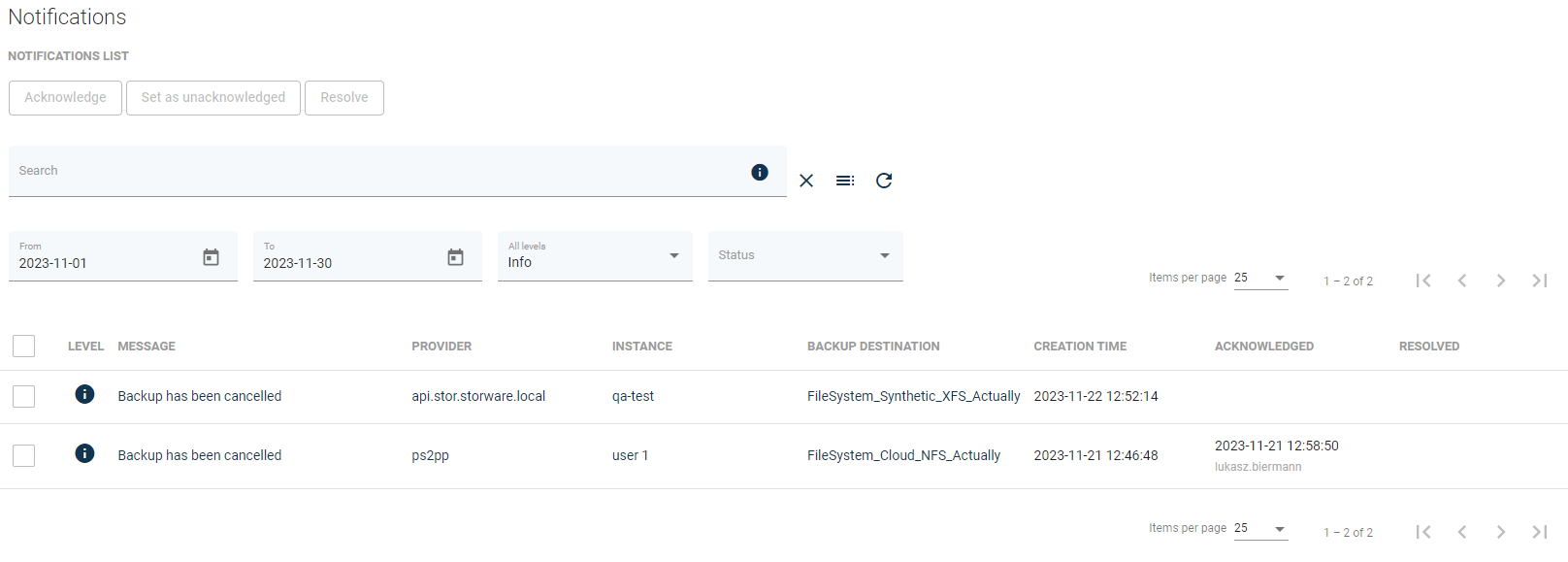
The notification center is a feature that provides an overview of alerts and notifications from Storware Backup and Recovery operations
The Notification center groups in one place all system alarms and notifications, providing a centralized place to verify the system state.
### Message levels
Messages have been divided into three types:
* Information - The standard message indicating that something happened or the task entered a certain state.
* Warning - The warning message indicates that something unexpected happened during the operation. A problem or a situation that might disturb an operation. But that doesn't mean that the application failed. The operation can continue the work. The information should be reviewed.
* Critical - The message informs that the system encountered a problem and the operation cannot be continued.
### Notifications statues
* Acknowledge - Indicates that the problem is acknowledged by the administrator.
* Resolve - Indicates that the root cause of the problem is resolved.
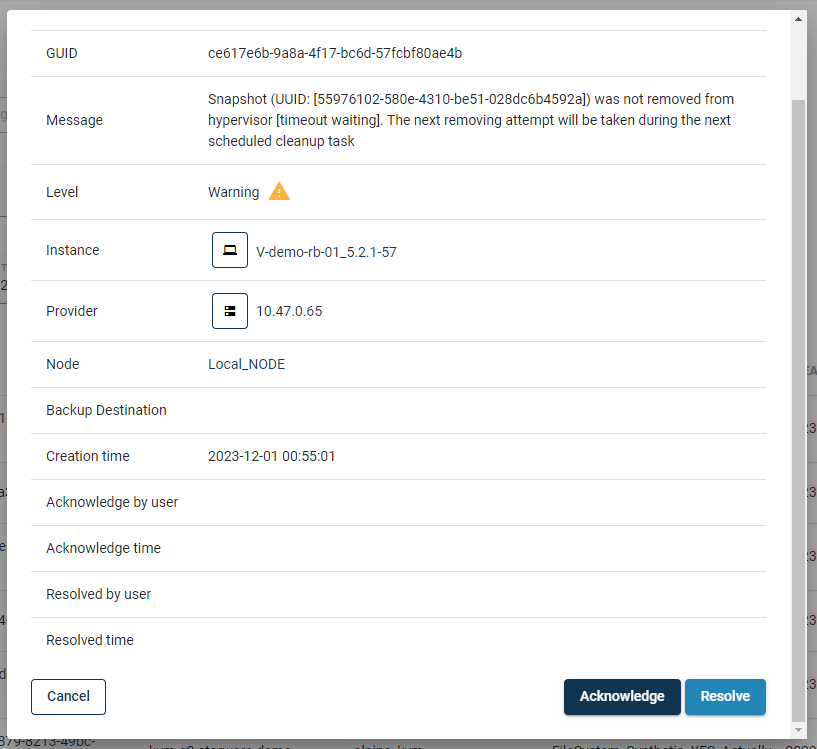
To set the status for the notification:
1. Click on the notification
2. Scroll down to the bottom of the window
3. Click on the button "Acknowledge" or "Resolve" depending on which status you would like to set
Information about the username and date of the action will be registered and displayed in the main notifications view